
How to move your eBay listings to Depop with their photos
Also in: Deutsch · Español · Français · Italiano
Short answer. A Depop listing is created by hand, and it holds far fewer photos than an eBay listing: up to four photos and one video in the app, up to eight photos on the website, according to Depop's help centre. eBay allows up to 24. So moving to Depop means getting your eBay photos back, then choosing the best ones for each item. The Chrome extension eBay Image Downloader saves the photos of your eBay listings on your computer, one folder per item. One listing is free. A whole store is $29 once.
How many photos does Depop take?
From Depop's help centre, in "How to list an item":
| Where you list | Photos | Video |
|---|---|---|
| Depop app | up to 4 | 1 |
| Depop.com | up to 8 | not mentioned |
You can list with either the app or the website. On a computer, the website gives you twice as many photos, and your eBay photos are already there.
How do I get the photos of one eBay listing?
It is free and takes two clicks.
- Install eBay Image Downloader from the Chrome Web Store.
- Open your listing on eBay, click the extension icon, then "Download photos & videos".
You get every photo in the largest size eBay keeps (up to 1600 px), numbered in the order of the listing: 01.jpg, 02.jpg, 03.jpg… The listing's video, if it has one, is saved as video.mp4. See how to download all the photos of an eBay listing.
How do I get the photos of all my listings at once?
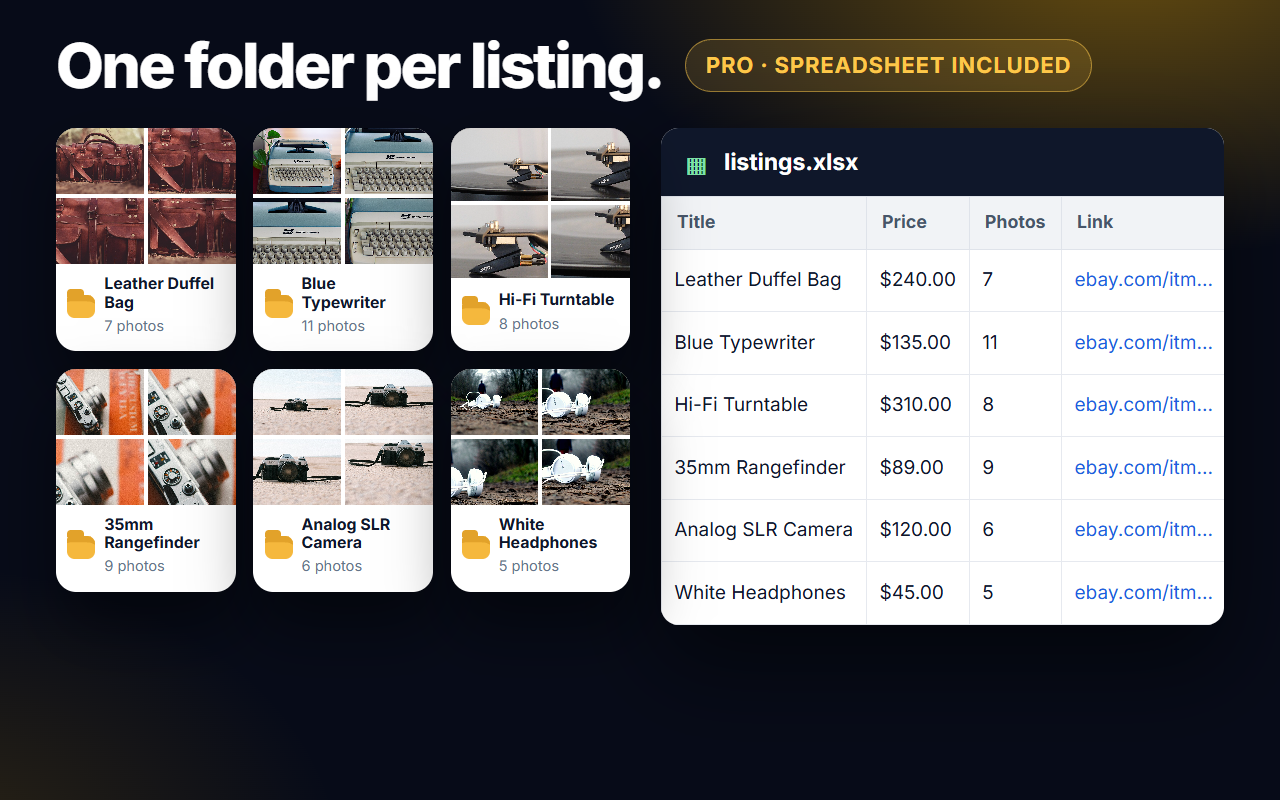
With Pro ($29 once, no subscription), open your store page or your active listings in Seller Hub, click "Find every listing", then download. You get:
- one folder per listing, named after the listing, with its photos in order;
listings.xlsx, a spreadsheet with the Title and the Price of each listing, and the Folder its photos are in.
Measured on a real store: 782 listings, 5,345 photos and 161 videos in 6 minutes. Details in how to save the photos of all your eBay listings at once.
Which photos should I keep?
With 4 or 8 places, order matters. In each folder the photos are in the order of your eBay listing, so 01.jpg is the one you chose as the main photo. A simple way to choose:
- The whole item, front.
- The whole item, back or worn.
- The label, the size or the brand mark.
- Any flaw, close up.
On Depop.com you have four more places for details.
How do I create the Depop listings from there?
- Open the spreadsheet on one side and Depop.com on the other.
- Start a listing and add the photos you chose from the folder of the item.
- Copy the title and the price from the spreadsheet, then fill in what Depop asks.
- Go to the next row.
The description text is not in the spreadsheet. Each folder holds a "View on eBay" shortcut that opens the original listing, to copy the description from.
Limits
- The extension gets your photos and a spreadsheet. It does not create the Depop listings for you.
- Photos are saved in the largest size eBay keeps (up to 1600 px), not the original file from your phone.
- The whole-store download reads active listings. Sold and ended listings are not covered.
- The extension works in Chrome on a computer.
Questions
How many photos can a Depop listing have?
Up to four photos and one video in the app, and up to eight photos on Depop.com, according to Depop's help centre.
Can I list on Depop from a computer?
Yes. Depop's help centre says you can use either the app or Depop.com.
Can I use the same photos on eBay and on Depop?
Yes, if they are your own photos of your own item.
Is it free?
One listing at a time is free, without an account. A whole store is $29 once.
Does the extension touch my eBay or Depop account?
No. It only reads eBay pages, and it does nothing on Depop.
eBay Image Downloader is published by Modulia. Not affiliated with eBay Inc. or Depop; eBay and Depop are trademarks of their owners.
Last updated November 24, 2026