
How to back up your eBay listings and their photos
Also in: Deutsch · Español · Français · Italiano
Short answer. eBay does not give you a backup of your listings. Its reports export text, not pictures, and the photos of an ended listing stay online for up to 90 days according to eBay's help pages. To keep everything, save the photos and videos of every listing on your own computer, with a spreadsheet that says which photos belong to which listing. The Chrome extension eBay Image Downloader does this for a whole store in one go: 782 listings, 5,345 photos and 161 videos in 6 minutes on a real store.
What should a backup contain?
- The photos, in full size. They are the part that cannot be rebuilt: the item may be sold, packed away or gone.
- The videos, if your listings have some.
- The title and the price of each listing.
- A link between the two: which photos belong to which listing. A folder of 5,000 loose pictures is not a backup you can use.
- The description text, if you wrote long ones.
How do I back up one listing?
It is free and takes two clicks.
- Install eBay Image Downloader from the Chrome Web Store.
- Open the listing on eBay, click the extension icon, then "Download photos & videos".
You get every photo in the largest size eBay keeps (up to 1600 px), the videos as .mp4, and a "View on eBay" shortcut, in a .zip or a folder named after the listing. See how to download all the photos of an eBay listing.
How do I back up a whole store?
This is the Pro feature: $29 once, no subscription.
- Open your store page, or your active listings in Seller Hub.
- Click the extension icon, then "Find every listing". The extension reads every page and shows how many listings it found. This part is free.
- Click download.
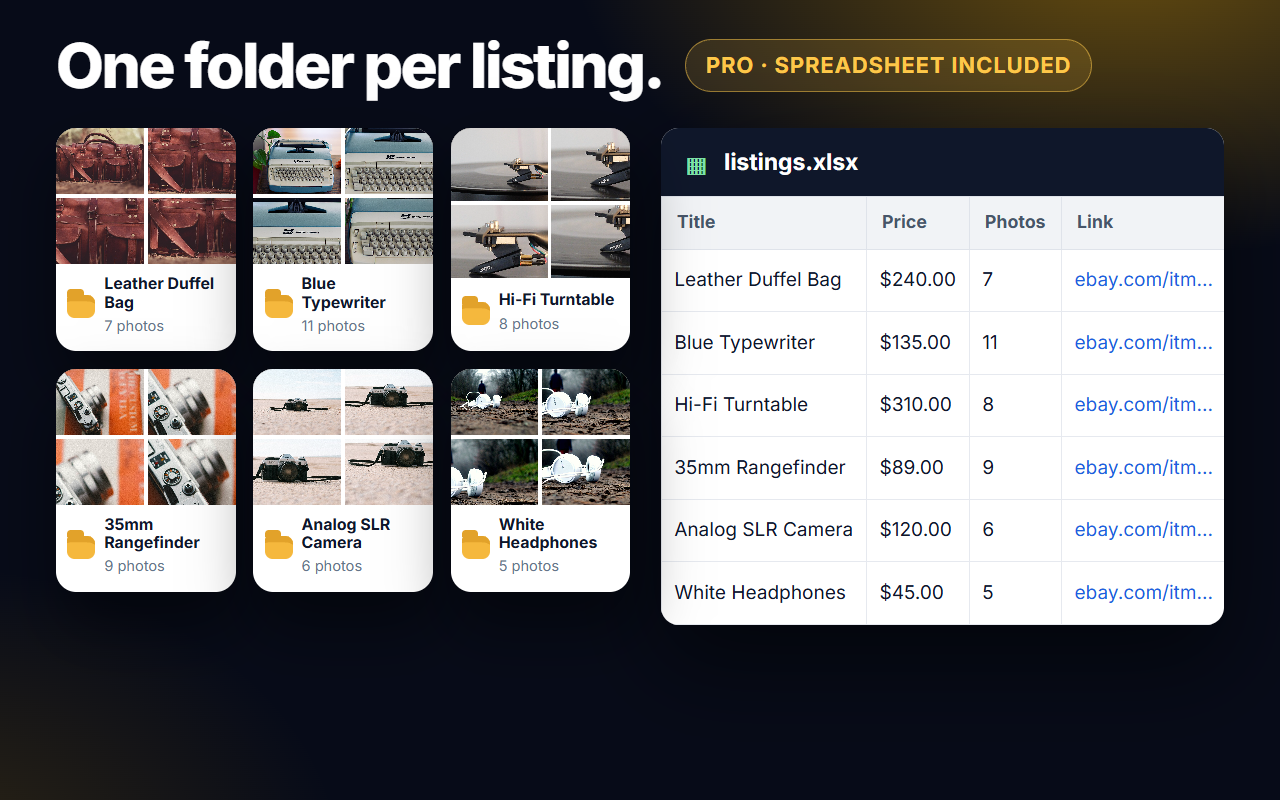
You get one folder for the backup, with the date and time in its name:
eBay photos - yourstore - 782 listings - 2026-11-24 14-05/
    photos.zip
    listings.xlsx
Inside the .zip there is one folder per listing, named after the listing, with its photos numbered 01.jpg, 02.jpg, 03.jpg… and its videos. listings.xlsx opens in Excel, Google Sheets or Numbers and has one row per listing: Title, Price, Photos, Link, Photo links, Folder, Item ID.
Details and timings in how to save the photos of all your eBay listings at once.
What about the descriptions?
The spreadsheet holds the title, the price and the link of each listing, not the description text. Two ways to keep the descriptions:
- eBay's own report. Seller Hub can export your active listings to a file. Open it and check which columns it contains for your account.
- By hand, for the listings that matter. Open the listing with the "View on eBay" shortcut in its folder, and copy the description into a text file in the same folder.
How often should I do it?
Each download gets its own folder with the date and time, so you can simply run it again. A sensible rhythm: after each big batch of new listings, and before any risky change, such as closing a store, changing account or ending many listings at once.
Where should I keep the backup?
On your computer first. Then copy the folder to a second place: an external drive or the cloud storage you already use. The extension itself sends nothing anywhere: the photos go straight from eBay to your computer.
Limits
- It backs up active listings. Sold and ended listings are not covered by the whole-store download.
- Photos are saved in the largest size eBay keeps (up to 1600 px), not the original file from your camera.
- Up to 10,000 listings per download. Large stores are saved as several .zip files of up to 750 MB each, in the same folder.
- It needs a computer with Chrome.
Questions
Does eBay keep a backup of my listings?
Not one you can download with the photos. Ended listings and their photos stay visible for up to 90 days, according to eBay's help pages.
Is it a subscription?
No. One listing at a time is free. A whole store is $29 once.
How long does a backup take?
On two real stores: 782 listings in 6 minutes, and 1,076 listings in 12 minutes. It depends on your connection and on the number of videos.
Can I see how many listings it finds before paying?
Yes. Finding and counting the listings is free.
Does it change anything on my eBay account?
No. It only reads pages, like you would.
Is my data sent anywhere?
No. No account, no analytics, no ads.
eBay Image Downloader is published by Modulia. Not affiliated with eBay Inc.; eBay is a trademark of eBay Inc.
Last updated November 24, 2026