
How to download all the photos of an eBay listing
Also in: Deutsch · Español · Français · Italiano
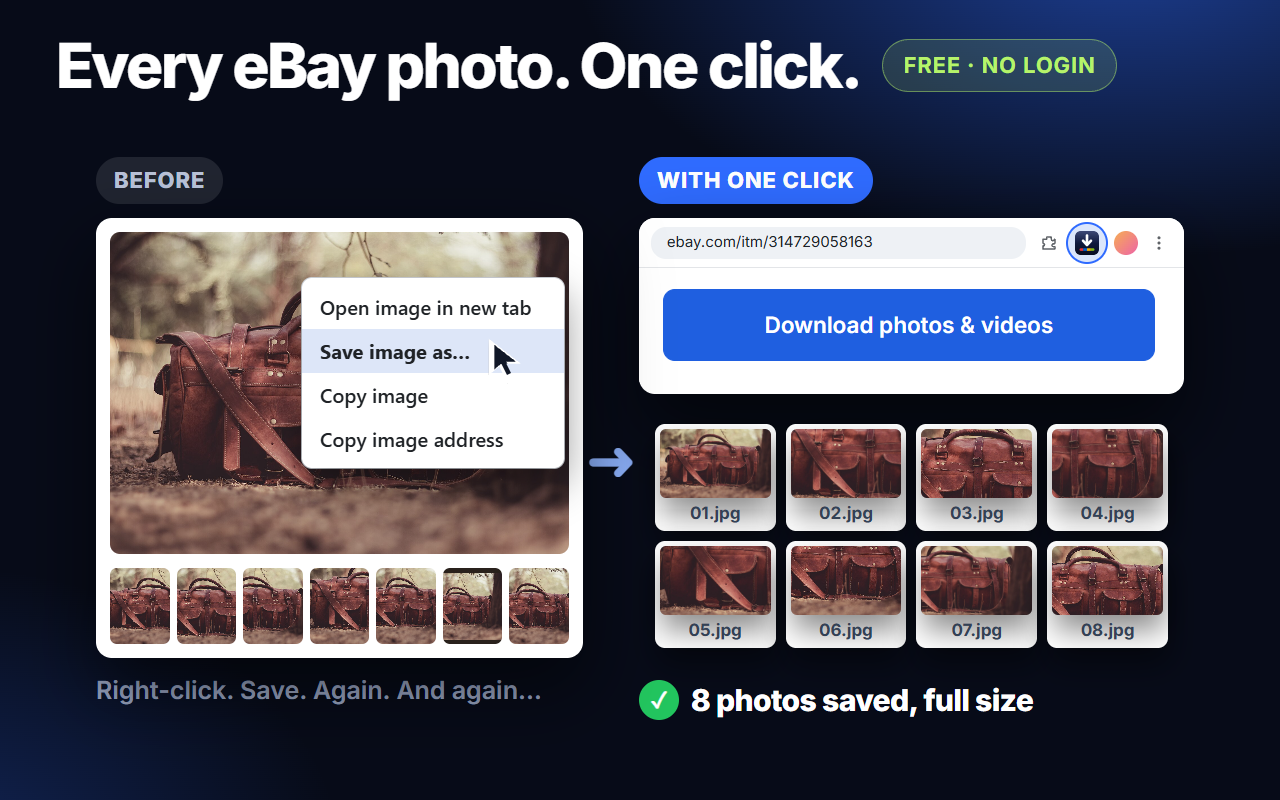
Short answer. eBay has no button to save the photos of a listing. Right-click gives you one picture at a time, often small and in WebP. The free Chrome extension eBay Image Downloader saves every photo of a listing in one click, in the largest size eBay keeps (up to 1600 px), with the videos, without an account and without a limit.
How do I download every photo of a listing?
- Install eBay Image Downloader from the Chrome Web Store.
- Open a listing on eBay, then click the extension icon (white arrow on a dark blue square, top right of Chrome).
- Click "Download photos & videos". The files land in your Downloads folder.
There is no sign-up, no e-mail to give and no Google login.
What do I get?
- Every photo of the listing, not only the first five, in the largest size eBay keeps (up to 1600 px on the long side).
- The listing's videos, as .mp4, picture and sound.
- Files numbered in the order of the listing:
01.jpg,02.jpg,03.jpg… - A readable name: the file or the folder is named after the title of the listing.
- A "View on eBay" shortcut that takes you back to the listing.
ZIP or separate files: which should I choose?
- One .zip file is the fastest, and it is the default. You get one file to move, send or keep.
- Separate files arrive straight in a folder named after the listing. Nothing to unzip. It is a little slower, because Chrome saves the files one by one.
Which size and format are the photos?
The size is the largest eBay keeps: up to 1600 px on the long side. eBay does not keep the seller's original file, so no tool can give you more.
The format is your choice: JPG, PNG or WebP. JPG opens everywhere and is the default. On one test photo, the JPG weighed 1.5 MB, the PNG 2.5 MB and the WebP 0.2 MB.
A worked example
A vacuum cleaner listing with 7 photos and a one-minute video. One click gives a .zip named after the listing, with:
01.jpgto07.jpg, full sizevideo.mp4: 60 seconds, 1280 × 720, with sound, 24 MBView on eBay.url
By hand, the same job is seven times "open the photo, right-click, Save image as", and the video cannot be saved at all.
Can I do it by hand, without installing anything?
Yes, for a few photos:
- Click the main photo to open it large.
- Right-click, then "Save image as…".
- Do it again for every photo.
Two drawbacks: it is slow beyond a few photos, and eBay often hands the browser a reduced picture or a WebP file. Videos have no "Save" option at all.
How do I download a whole store at once?
To get every listing of a store, a seller, a search or your Seller Hub, the extension has a Pro version: $29 once, no subscription.
- It finds every listing, on every page, and tells you how many before you pay anything.
- It creates one folder per listing, named after the listing.
- It adds an Excel spreadsheet (
listings.xlsx) with the title, price, link and photo links of each listing.
Measured on a real store: 782 listings, 5,345 photos and 161 videos in 6 minutes. See how to save the photos of all your eBay listings at once.
Which eBay sites does it work on?
eBay in the US (ebay.com), the UK, Canada, Australia, Germany, France, Italy and Spain. The extension installs in Chrome, on a computer.
What does the extension send, and to whom?
Nothing. There is no account, no analytics and no advertising. The photos go straight from eBay's servers to your computer. The extension only reads the page, like you would: it never clicks, edits or posts anything on your eBay account. Details in the privacy policy.
Limits
- It saves what eBay keeps: up to 1600 px, not the seller's original file.
- It reads the photo gallery of the listing. Pictures placed inside the description text are not part of the gallery.
- It needs a computer. Chrome on phones does not accept extensions.
Troubleshooting
- I don't see the icon. Click the puzzle piece at the top right of Chrome, then the pin next to eBay Image Downloader.
- Chrome asks where to save every file. Chrome is set to "Ask where to save each file before downloading". Choose the .zip (one question only), or turn that setting off in Chrome, under Downloads.
- I can't find my files. The last screen has a "Show my files" button that opens the right folder.
- The message says the page is not recognised. eBay changes its pages from time to time. The "Report broken page" button tells us, and we fix it.
Questions
Is it really free?
Yes. Every photo and video of a listing, as often as you like, without an account. Only the whole-store download is paid, once.
Are the photos full size?
They are in the largest size eBay keeps: up to 1600 px on the long side.
Can I download the photos of my own listings?
Yes, and it is the most common use: selling the item somewhere else, keeping a backup, getting back photos you lost.
Can I use the photos of another seller?
Photos belong to their author. Download the ones from your own listings, or ask the seller before reusing theirs.
Does the extension collect my data?
No. No account, no analytics, no ads.
How long does eBay keep my photos?
According to eBay's help pages, photos stay in ended listings for up to 90 days. If you are closing a store, save your photos first.
Does it work on a phone?
No. Chrome on phones does not accept extensions. You need a computer.
eBay Image Downloader is published by Modulia. Not affiliated with eBay Inc.; eBay is a trademark of eBay Inc.
Last updated November 24, 2026